A good tablet can be for work, school, watching shows, drawing, or just having fun.
Advertisements
We made a simple list of the 10 best tablets in 2025 to help you pick. We explain their best features in easy words.
1. Apple iPad Pro (M4 Chip) – The Powerhouse
This is the strongest tablet you can buy. It’s super fast and has a stunning screen.
Advertisements
Best For: Artists, video editors, and people who need a laptop replacement.
Key Features: Incredibly bright and colorful screen. New Apple Pencil Pro feels very real for drawing. The Magic Keyboard makes it work just like a laptop.
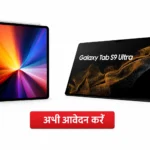
2. Samsung Galaxy Tab S10 Ultra – The All-Rounder Android King
Samsung’s best tablet is a great choice for Android users. It does everything well.
Best For: People who use Android phones and want everything to connect easily.
Key Features: Huge, beautiful screen. Comes with a great S-Pen for writing. Excellent for watching movies and multi-tasking with several apps at once.
3. Microsoft Surface Pro 11 – The Laptop in Tablet Form
This is a full Windows computer that you can use as a tablet. It runs all your PC programs.
Advertisements
Best For: Professionals who need to run specific computer software (like accountants or engineers).
Key Features: Powerful enough for heavy work. The detachable keyboard (sold separately) is excellent. Great for writing long documents or complex spreadsheets.
4. Apple iPad Air (M2 Chip) – The Best Balance
If the iPad Pro is too expensive, the iPad Air is the perfect choice. It gives you most of the Pro’s power for less money.
Best For: Most students and adults who want a great, reliable tablet.
Key Features: Very fast performance. Works with the new Apple Pencil Pro. Great for note-taking, creative projects, and entertainment.
5. Google Pixel Tablet 2 – The Smart Home Hub
This tablet is designed to be the center of your smart home. Its speaker dock is included.
Best For: Google fans and people who want to control their lights, thermostats, and speakers easily.
Key Features: Docks into a speaker to become a smart display (like a Google Nest Hub). Clean, simple Android software. Perfect for the kitchen or living room.
6. OnePlus Pad 2 – The Speed Star
This tablet is all about being fast and smooth, with a focus on great battery life.
Best For: People who want top performance without the highest price tag.
Key Features: Very fast charging. Smooth screen for games and videos. Works well with OnePlus phones.
7. Amazon Fire Max 12 – The Budget Entertainment Champ
This is the best tablet for the price. It’s made for Amazon services.
Best For: Watching Amazon Prime Video, reading Kindle books, and light web browsing on a big screen.
Key Features: Very large screen for the price. Tightly connected to Amazon’s apps and store. Great parental controls for kids.
8. Samsung Galaxy Tab S10+ – The Perfect Size
Slightly smaller than the Ultra, this is a more portable but still very powerful Samsung tablet.
Best For: People who want a high-end Samsung tablet that’s easier to carry.
Key Features: Excellent AMOLED screen. Great for drawing and note-taking with the S-Pen. Perfect balance of size and power.
9. Lenovo Tab P13 Pro – The Business Choice
A strong Android tablet focused on productivity and security for work.
Best For: Business users who need security features and a good typing experience.
Key Features: Comes with a keyboard cover. Has privacy features like a webcam shutter. Good for video calls and office work.
10. Apple iPad mini 7 – The Compact Companion
The small, powerful tablet you can take anywhere. It fits in a purse or large pocket.
Best For: Reading, mobile gaming, and as a super-portable notebook.
Key Features: Perfect one-hand size. Powerful enough for games and apps. Works with the Apple Pencil for quick notes on the go.
Q1: What is the most important thing to look for in a 2025 tablet? A1: Think about what you need it for most. If you want to draw, look for one with a great stylus (like the iPad Pro or Galaxy Tab). If you just want to watch shows, a more affordable option (like the Amazon Fire Max) is perfect.
Q2: Which tablet is best for students? A2: The Apple iPad Air or Samsung Galaxy Tab S10+ are both fantastic. They are powerful for research, great for taking notes with a pen, and good for relaxing after studying.
Q3: Can a tablet really replace my laptop? A3: It depends on your work. For web browsing, emails, streaming, and light editing, yes—especially tablets like the iPad Pro or Surface Pro. If you need heavy-duty programs for engineering, coding, or advanced video editing, a laptop is still better.
Q4: Why are some tablets so much more expensive than others? A4: You pay for better screens, faster processors, stronger build quality, and better accessories (like pens and keyboards). A cheaper tablet is great for basic tasks, but a premium one will feel faster, last longer, and do more.