Whether you want to watch movies, take notes in class, or draw professional art, there is a perfect tablet for you.
Here is a simple guide to the top 10 tablets in 2025 and what makes them special.
1. iPad Pro (2025 Model): The Super Powerful Choice
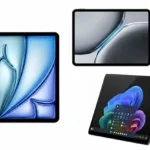
This is the most powerful tablet you can buy. It uses the same chip found in expensive Apple computers, meaning it never slows down, even when editing 4K videos or playing heavy games.
- Best Feature: The OLED screen is incredibly bright and shows deep, beautiful colors.
- Good for: Professional artists and people who want the absolute best.
2. Samsung Galaxy Tab S11 Ultra: The Giant Screen
If you love big screens, this is the one for you. It has a massive 14.6-inch display that feels like a portable TV. It also comes with a free “S Pen” (a digital pencil) inside the box.
- Best Feature: Multitasking. You can open four apps at once on the huge screen.
- Good for: Watching movies and doing office work.
3. iPad Air (2025 Model): The Best for Most People
The iPad Air gives you almost everything the “Pro” model has but for a much lower price. It is very thin and light, making it easy to carry in a backpack all day.
- Best Feature: Value. It is fast enough for almost anyone and works with all the best Apple accessories.
- Good for: Students and everyday users.
4. OnePlus Pad 3: The Smooth Speedster
OnePlus has made a tablet that feels very fast. The screen refreshes 144 times per second, which makes scrolling through websites feel as smooth as butter.
- Best Feature: Fast Charging. It charges much faster than an iPad or a Samsung tablet.
- Good for: Gaming and smooth web browsing.
5. Google Pixel Tablet: The Home Helper
This tablet is unique because it comes with a speaker dock. When you aren’t using it, you can magnetically attach it to the dock to charge it and turn it into a smart home screen.
- Best Feature: The Speaker Dock. It turns your tablet into a high-quality music player for your room.
- Good for: Families and smart home fans.
6. Microsoft Surface Pro 11: The Tablet-Laptop Hybrid
The Surface Pro runs full Windows 11. This means you can run the exact same programs you use on a PC, like the full version of Word, Excel, or Photoshop.
- Best Feature: It is a Real Computer. Just attach a keyboard, and it becomes a laptop.
- Good for: Business professionals and college students.
7. Xiaomi Pad 8 Pro: High Quality, Low Price
Xiaomi is famous for giving you high-end parts for a mid-range price. This tablet has a very sharp screen and a metal body that feels very expensive.
- Best Feature: The Display Quality. It has more detail than many tablets that cost twice as much.
- Good for: People who want high-end specs on a budget.
8. iPad Mini (7th Gen): The Pocket Partner
Not everyone wants a huge screen. The iPad Mini is small enough to hold in one hand but powerful enough to run the latest apps and AI features.
- Best Feature: Portability. It fits into a small bag or even a large jacket pocket.
- Good for: Reading e-books and taking quick notes on the go.
9. Amazon Fire Max 11: The Budget King
If you only want to watch Netflix, browse the web, and check emails, you don’t need to spend $500. The Fire Max 11 is affordable and very sturdy.
- Best Feature: Price. It is one of the most affordable 11-inch tablets on the market.
- Good for: Kids and casual entertainment.
10. Lenovo Idea Tab Pro: The Student’s Choice
Also Check:



Lenovo’s latest tablet focus is on “working and playing.” It comes with a pen and has special software that makes it easy to write notes while watching a lecture.
- Best Feature: Battery Life. It can last for a very long time on a single charge.
- Good for: Taking notes in school.
Quick Comparison Table
| Tablet | Main Use | Bonus Item |
| iPad Pro | Professional Work | Super Fast Chip |
| Samsung S11 Ultra | Movies & Work | Pen Included |
| iPad Air | School / General | Light Design |
| OnePlus Pad 3 | Gaming | Very Fast Charging |
| Amazon Fire Max 11 | Movies / Reading | Low Price |
Simple FAQs
1. Do I need to buy a pen separately?
It depends! Samsung and Lenovo usually include the pen in the box. For iPads and Microsoft tablets, you usually have to buy the pen separately.
2. Can these tablets replace my laptop?
Mostly, yes! If you mainly use a web browser, write emails, and use apps, any of the top 5 can replace a laptop. If you need special PC software, the Microsoft Surface Pro is the best choice.
3. Which tablet is best for kids?
The Amazon Fire Max 11 or the iPad (A16 model) are great for kids because they are easy to use and have great parental controls to keep them safe.
4. How long do these tablets last?
High-end tablets like the iPad and Samsung S-series usually last 5 to 6 years before they start feeling slow.